Back to all projects
DNAFonts

AI Font Studio

Founder & Product Designer · AI-powered type creation

DNAFonts turns a visual reference, such as handwriting, a sketch, or a brand sample, into a full editable typeface. I founded, designed, and built the product end to end, with AI inside the creation flow and inside the way the product was made.

RoleFounder & Product Designer
Timeline2025 to present
PlatformWeb app SaaS
StatusIn development
DNAFonts dashboard with the create your first font hero and the four-step creation flow

Type design is a deep craft: metrics, spacing, contours, character sets. DNAFonts makes that work approachable for designers and brand teams by letting AI produce the first pass while keeping every glyph inspectable, replaceable, and editable.

Product vision, UX strategy, visual design, and hands-on build of the working app.
A guided pipeline from reference upload to AI generation, refinement, and TTF or OTF export.
Control at three levels: full character set, single glyph, and individual vector points.
A real SaaS layer: templates, brand kits, export history, roles, credits, and pricing.

An expert domain

Font editors are built for type designers. Cap height, kerning, contours, and large character sets can overwhelm people who only need a useful brand font.

A variable AI core

Generation takes time, changes between runs, and sometimes misses. The interface had to make waiting, retrying, and partial results feel normal.

Trust in the output

Creators will not adopt a black box. Every AI decision needed a practical escape hatch: regenerate one glyph, upload a replacement, or edit the points directly.


Research & process

Design focus areas
  • Progress as the main mental model: one grid, one count, always visible.
  • AI as an action, not a hidden mode: generate, refine, and retry from the workspace.
  • Judging type in context through a live text preview, not isolated letters.

Landscape review

Studied professional font editors and AI generation tools to find the gap between expert output and approachable creation.

Pipeline mapping

Mapped the path from reference image to installed font, including where AI acts and where the user keeps control.

System design

Built a component system for the studio, editor, library, templates, and admin surfaces in light and dark themes.

Build and iterate

Tested decisions on the working product instead of static mockups, then tightened the flows around real screens.


Structure of the studio

The glyph grid is the workspace and the progress bar.

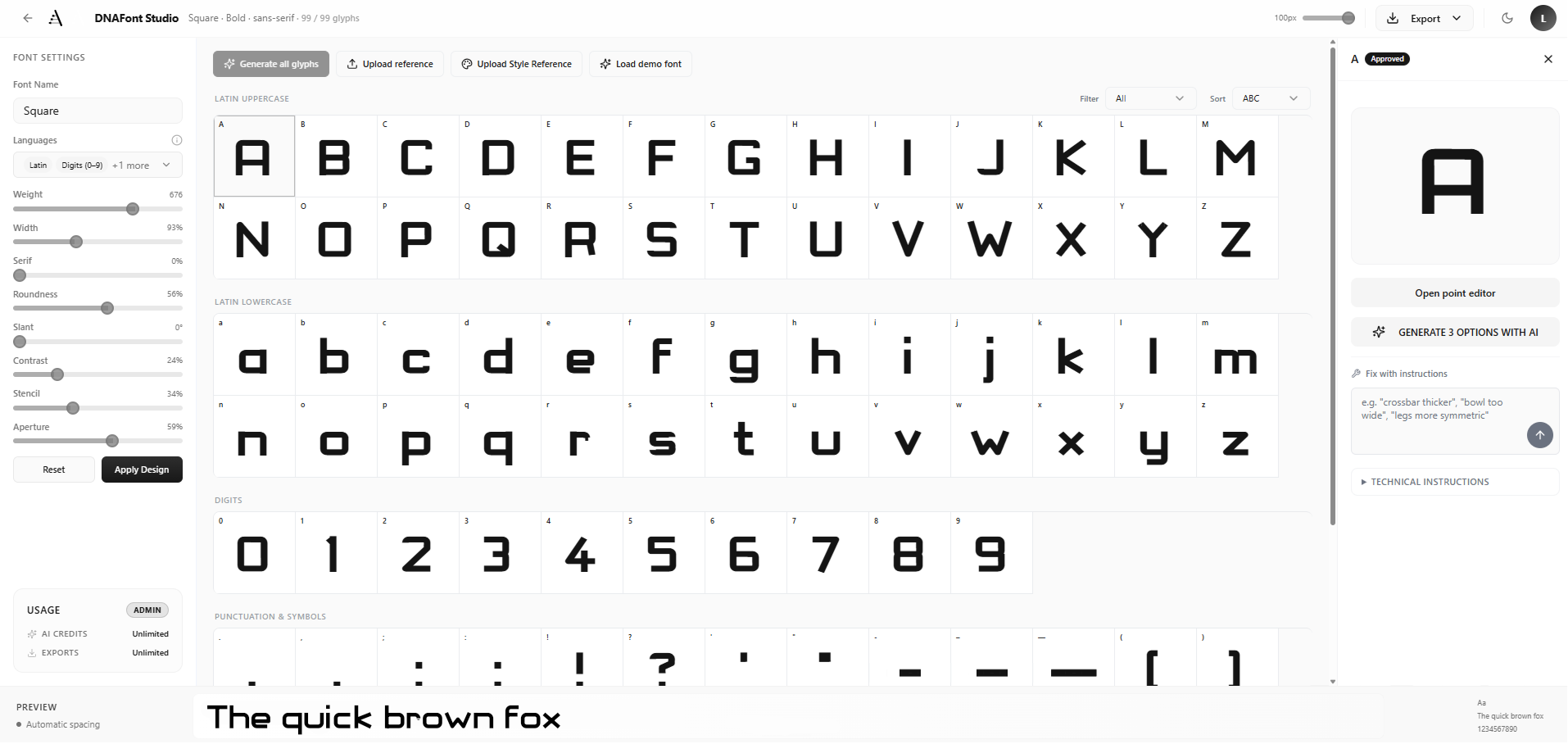
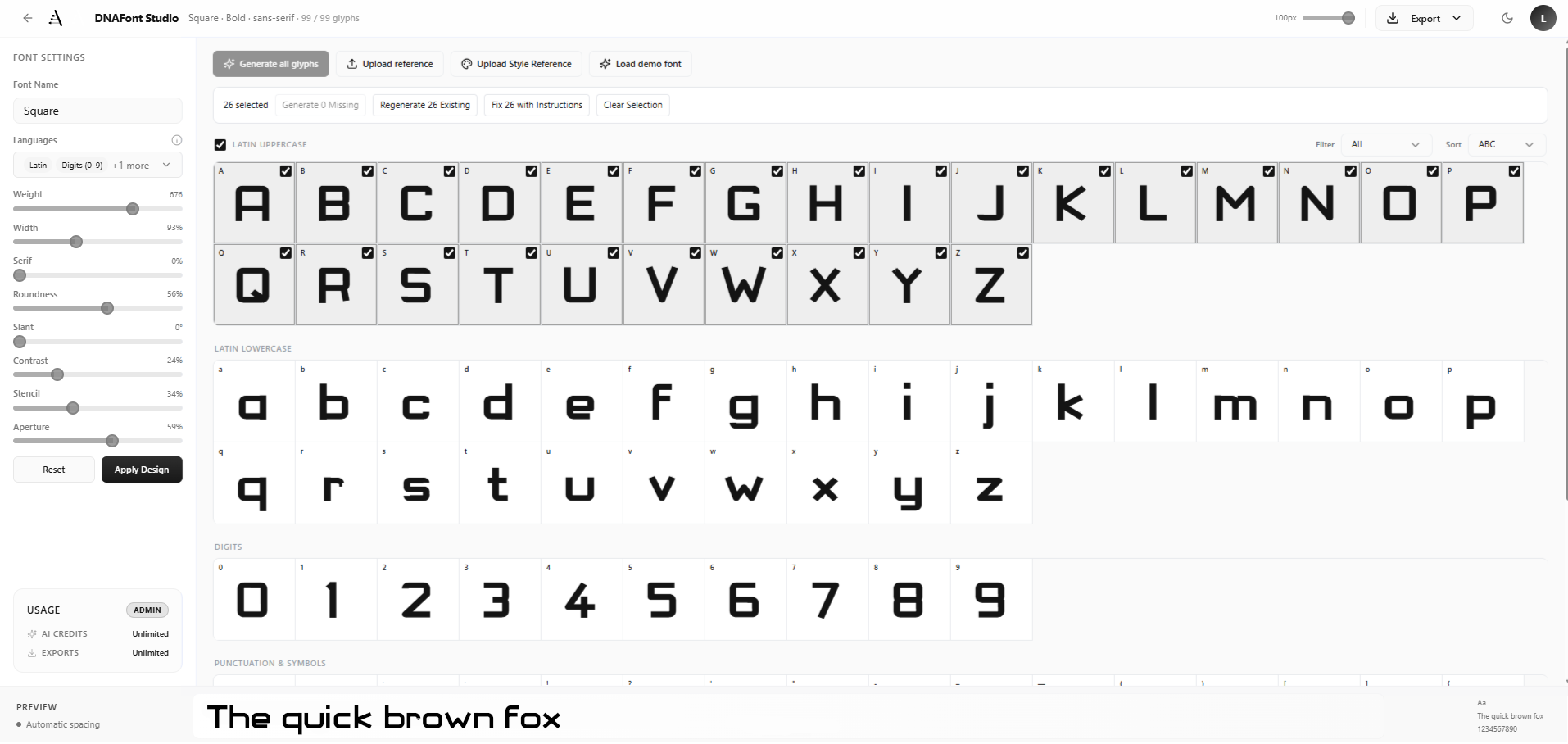
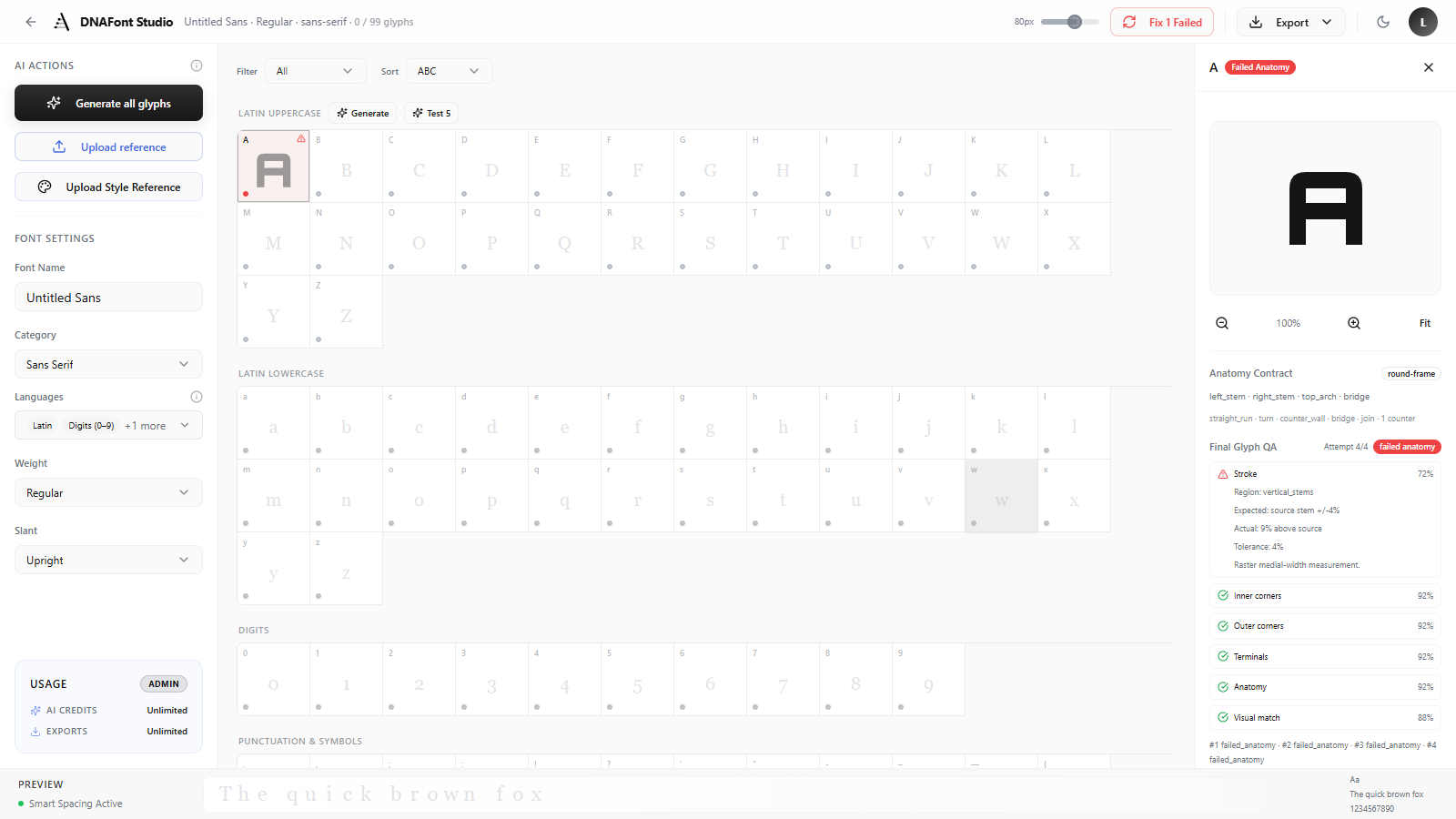
The main studio screen carries the full product. The user sees the whole character set, the selected glyph, the AI actions, and a live preview without leaving the canvas.

AI actions stay firstUpload and generation controls sit at the top-left because creation is the primary action.

The grid explains scopeAll 99 glyphs and their status dots show what exists, what is missing, and what needs review.

Single-glyph focusSelecting a cell opens focused controls for upload, regeneration, and point editing.

DNAFonts studio screen with AI actions, glyph grid, side panel, and live preview
The interface uses the grid as the user's status system. There is no separate progress dashboard to decode.

The problem

The blank-canvas wall

A font begins as dozens of empty cells. For a non-expert, there is no obvious first move, and a prompt-only tool asks for words the user may not have.

The solution

Reference-first creation

  • The product starts with a reference the user already has: handwriting, a sketch, or a brand sample.
  • The four-step flow sets expectations before generation begins.
  • The system expands one reference into uppercase, lowercase, digits, punctuation, and symbols.
Capability1 to 99Reference to character set

The user brings one visual cue. DNAFonts turns it into a full glyph set that can still be edited by hand.

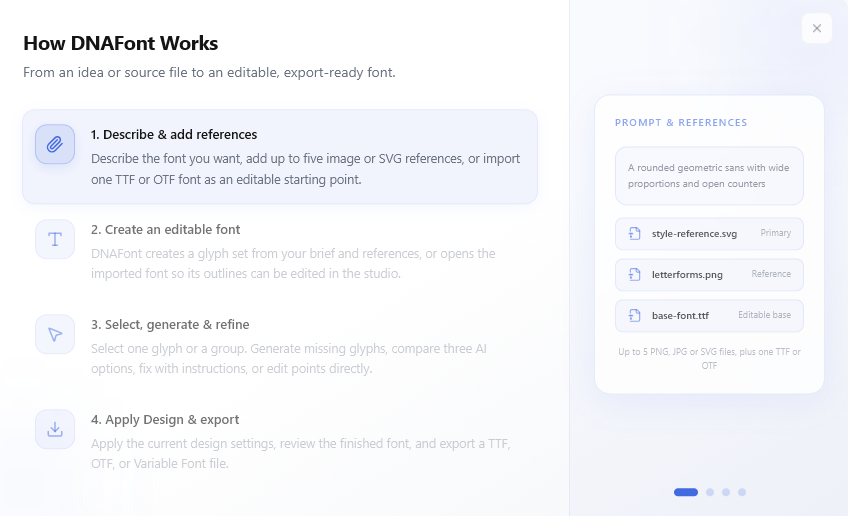
How DNAFonts works dialog, step one, upload a reference
The front door. Upload replaces the blank canvas with a clear first action.
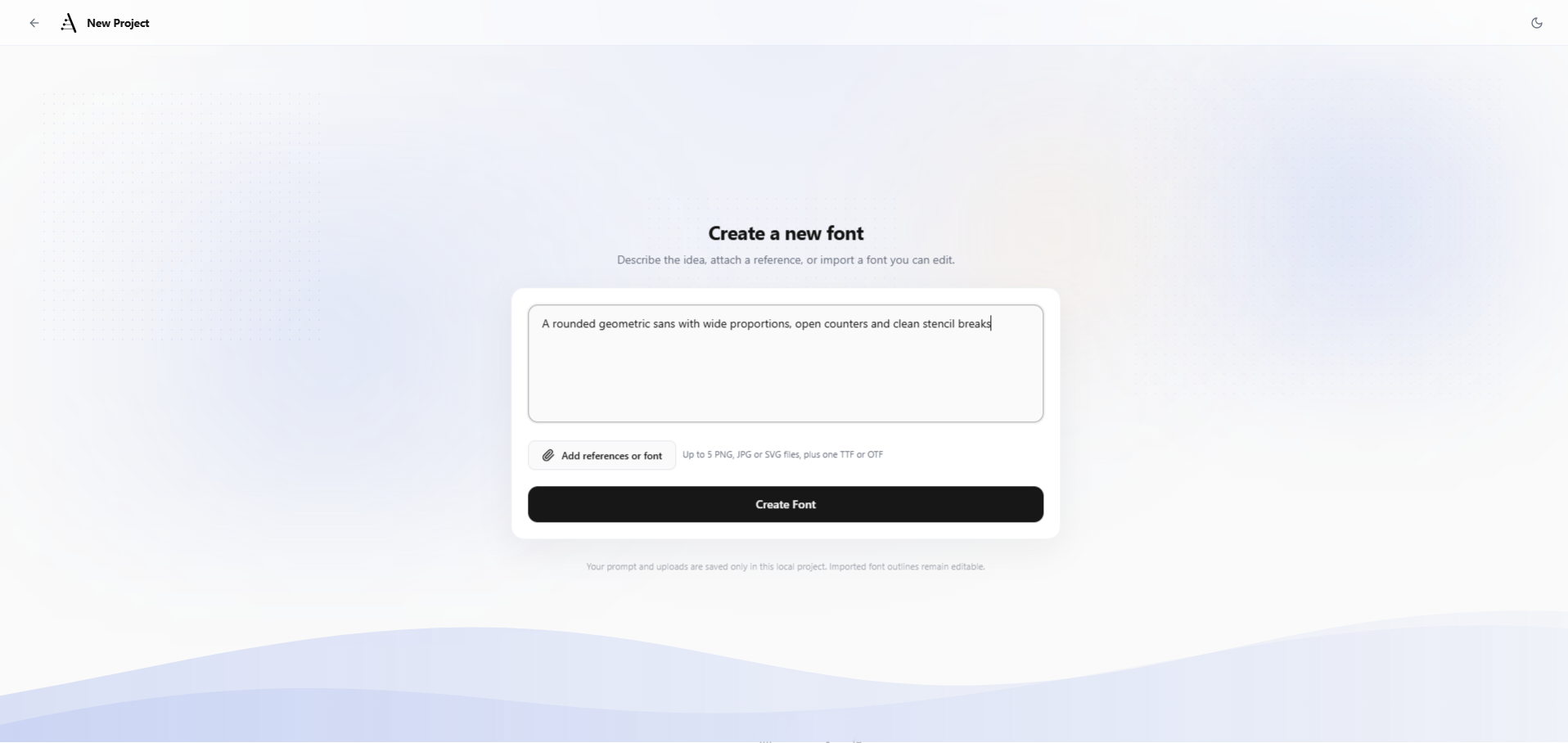
DNAFonts generation screen showing style prompt and generation options
Generation with context. The user can add a style prompt while the reference carries the visual direction.

The problem

Almost-right is still wrong

AI can get a font close, but one bad letter can ruin the set. Regenerating everything is too blunt for serious type work.

The solution

Escape hatches at every level

  • Regenerate one glyph without touching the other characters.
  • Upload a single glyph image when AI misses the form.
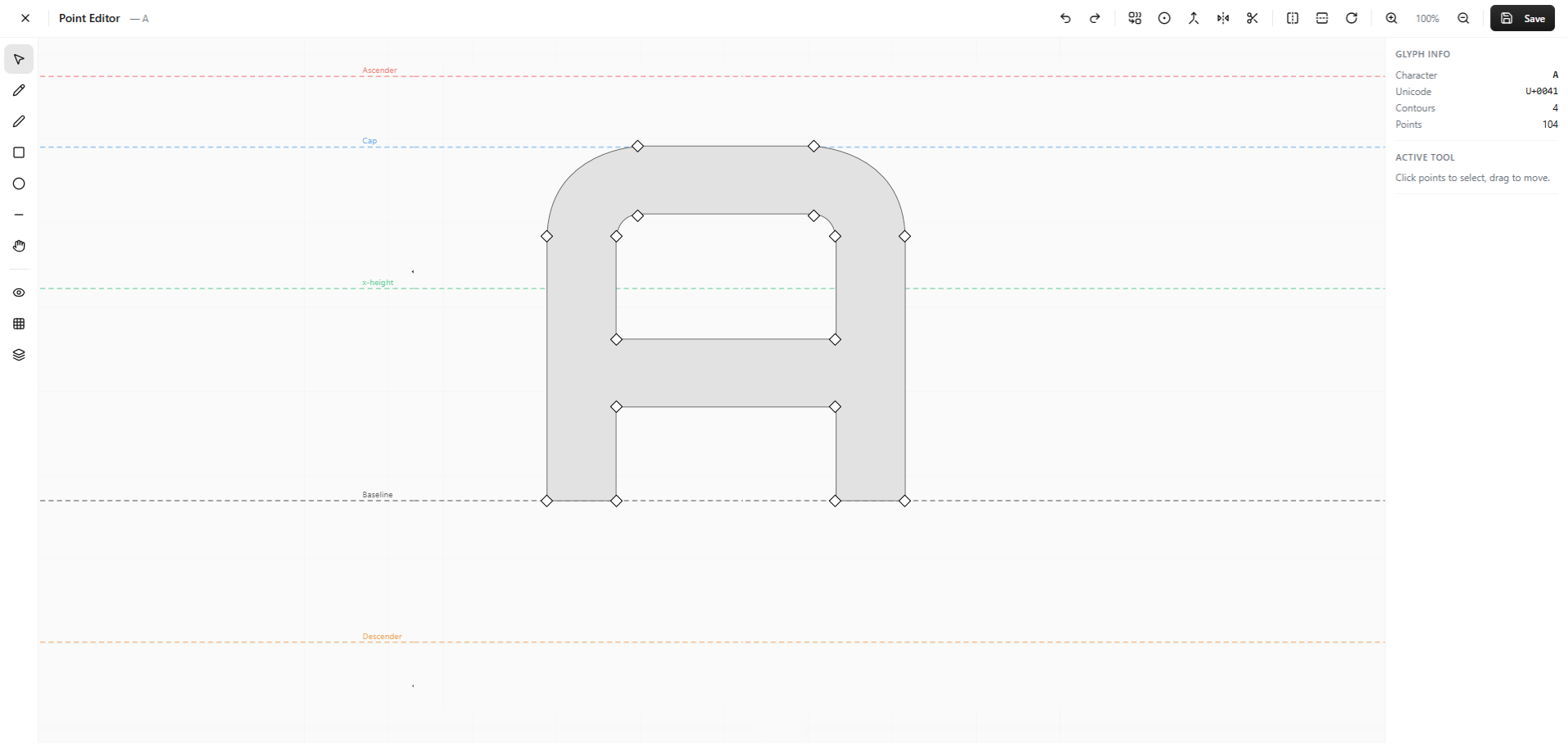
  • Open the point editor for direct vector control with baseline, cap, x-height, and descender guides.
  • Keep status visible on every glyph cell so review work stays trackable.
How DNAFonts works dialog, step three, refine and perfect
Refinement is promised early. The onboarding flow tells users the output is editable before they commit.
DNAFonts point editor with typographic guides and glyph controls
Manual control remains available. The point editor gives designers a way out when generation gets close but not close enough.

A good editor makes a demo. A usable product also needs libraries, templates, export history, and brand-level organization so users can return to work without starting over.

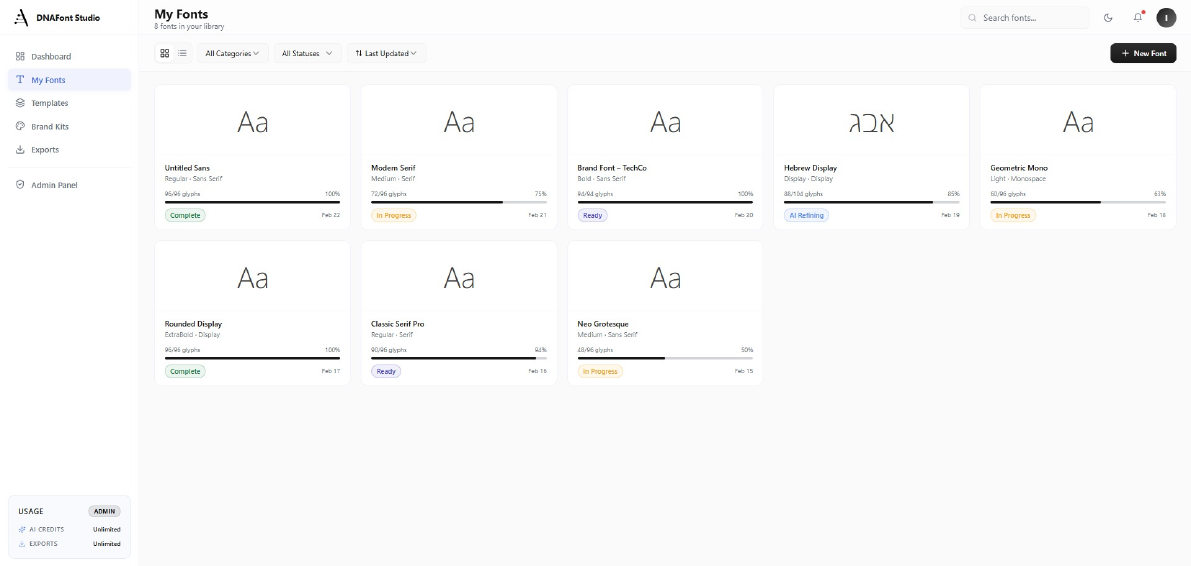
My Fonts tracks progress, status, category, and last update across multiple typefaces.
Brand Kits group fonts into heading, body, and accent roles for real identity work.
Templates give users a second starting point when they do not have a reference image.
Exports are stored as a product record, not treated as a one-off download.
DNAFonts My Fonts library with progress bars and font statuses
Status you can scan. Progress and state badges make a multi-font workload readable.
DNAFonts Brand Kits page for grouping fonts into brand collections
From fonts to systems. Kits turn individual typefaces into a managed brand asset.
DNAFonts Templates page with font starting points
A second front door. Templates help users begin even without a visual reference.

Dark mode

Built for long sessions with letterforms

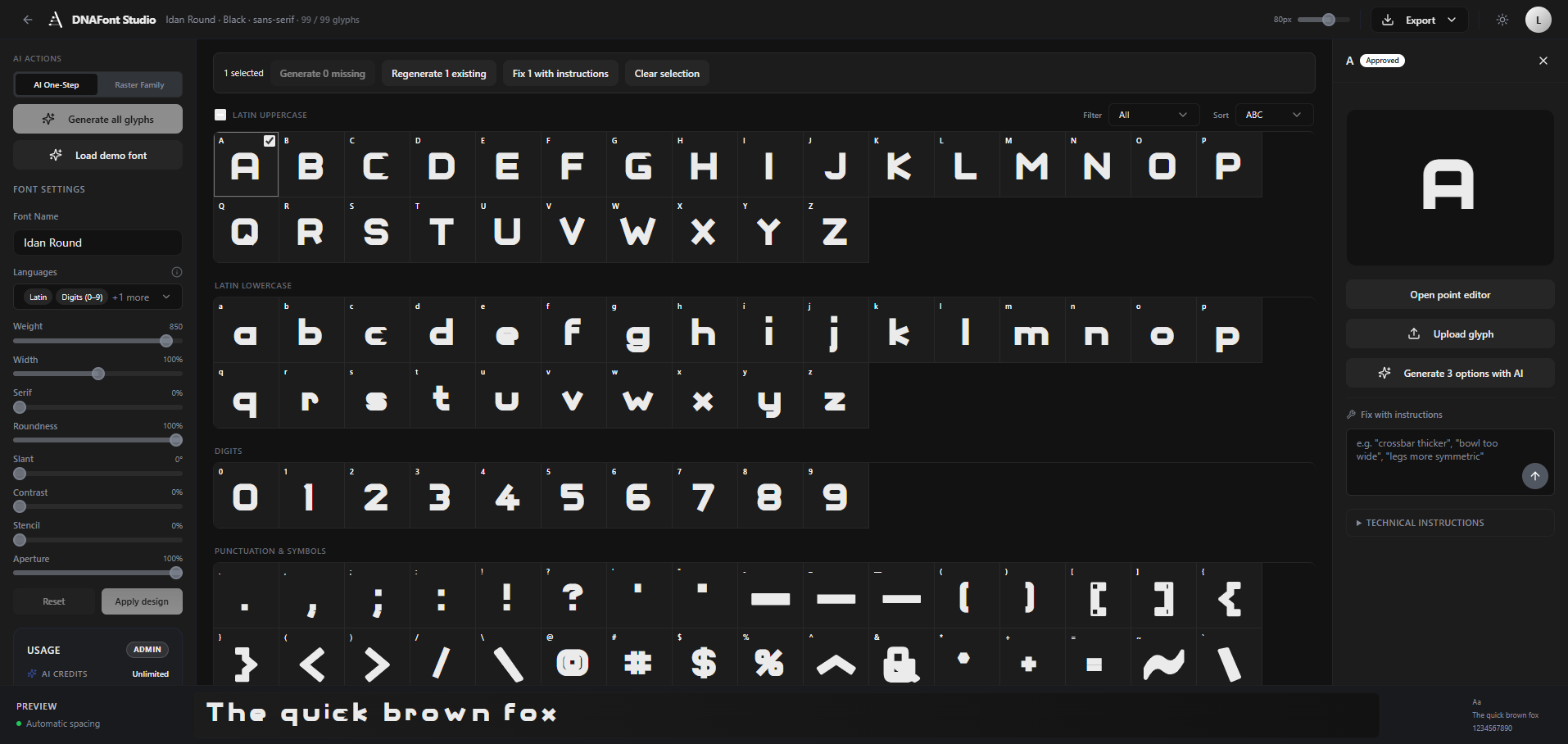
Type work means staring at high-contrast shapes for a long time. The dark theme keeps the same hierarchy and status signals while reducing glare around the glyphs.

  • Glyph cells, status dots, and preview keep the same structure across themes.
  • Letterforms stay the brightest element on screen.
  • The theme switch sits in the header as a comfort setting, not a separate mode.
DNAFonts studio in dark mode

Business layer

Designing the economics of generation

AI compute costs real money, so the product needed a clear value exchange. The interface lets people create for free, then gates ownership and higher-volume use through credits, exports, and plan tiers.

  • AI credits are the unit of value because generation is the expensive action.
  • Free users can test ideas before paying to export.
  • Admin controls manage roles, usage, and credits without leaving the product.
DNAFonts pricing page with Free, Pro, Pro Annual, and add-on plans
DNAFonts usage card with AI credits and exports
Usage stays visible. Credits and exports are shown quietly in the UI instead of appearing only at checkout.
DNAFonts admin panel for managing roles and credits
The operator view. Roles, credits, and system state are part of the product, not an afterthought.

Design as code

The design system lives in the product itself. Components were designed, coded, and refined in the same loop, so fidelity was checked on the real app.

AI-assisted build

Development used AI-assisted tooling for scaffolding, iteration, and review. That compressed a team-sized scope into a solo build without removing product judgment.

Product sense first

AI helped with execution, but the hard calls were still human: what to gate, what to expose, what to simplify, and where to give users control.


99Glyphs per typeface across Latin letters, digits, punctuation, and symbols.
TTF / OTFExport formats for production use, with variable font export planned for higher tiers.
3 tiersFree, Pro, and Admin roles with credit-based usage built into the interface.
2 themesLight and dark modes built from the same component system.

Control is the feature

Users can forgive imperfect generation when the fix is one click away. Trust comes from the quality of the escape hatches.

Progress is the interface

In long generative tasks, a visible count moving toward done explains more than a tutorial. The 0 of 99 grid makes the product understandable.

Founding is designing

Pricing, credits, roles, and empty states shape the experience as much as the editor. Owning the whole product changed the design work.


Infinity Quantum product preview
Next case studyInfinity QuantumComplex Ecosystem

Working on a complex product?

I design product experiences that bring clarity to complex systems.